

HeartOrb™ Giveaway
Enter to Win a Free HeartOrb™

SEE IT IN ACTION!
Why HeartOrb™ Stands Apart
We designed HeartOrb™ to be more than a device a timeless way to keep your most meaningful moments close.
| Orb™ | Others | |
|---|---|---|
Immersive Orb Design |
||
4 GB Built-In Storage |
||
One-Touch Controls |
||
Plays Video & Audio |
||
Real Customer Support |
MEGA CHRISTMAS SALE
QUESTIONS?
We Got Answers
How does HeartOrb™ work?
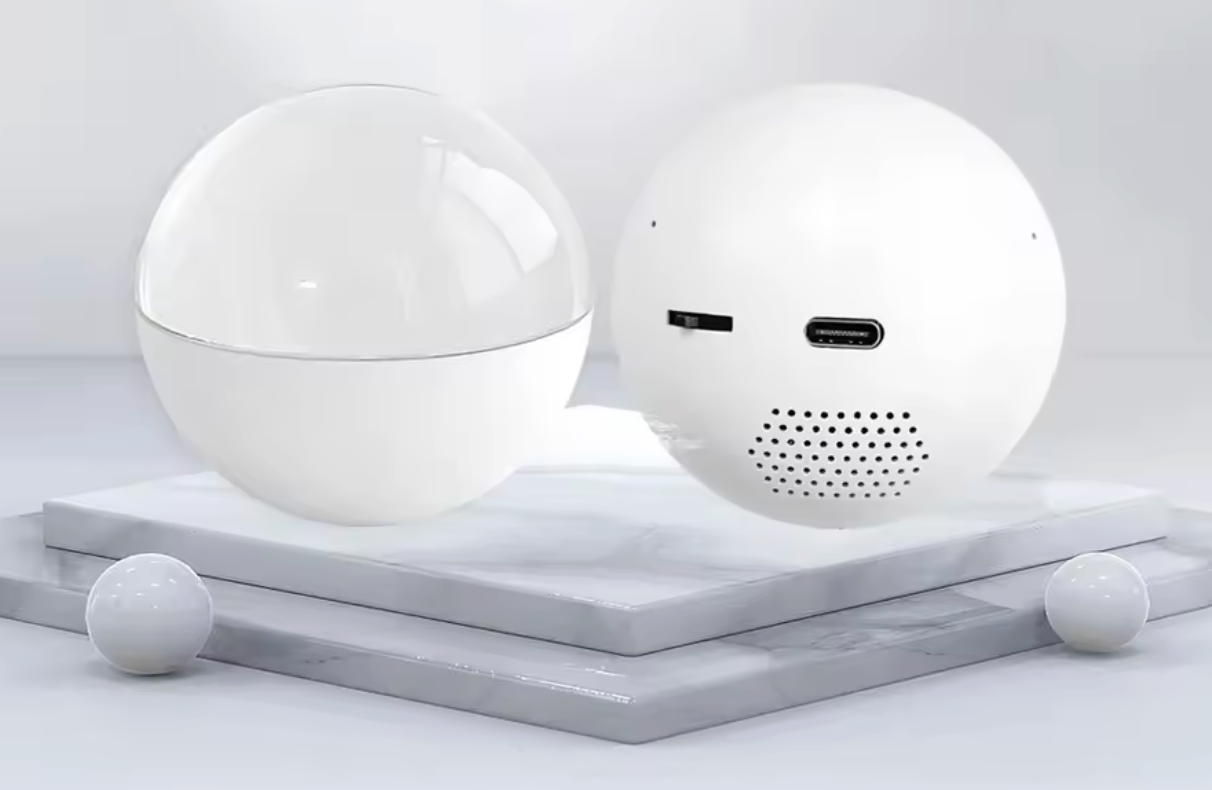
HeartOrb™ is a crystal-style memory orb with a built-in display. Once your videos or photos are uploaded, they play inside the orb, creating a floating, immersive visual experience that brings your memories to life.
How do I upload my videos or photos?
Simply connect HeartOrb™ to your computer using the included USB cable. Turn it on, then drag and drop your files into the designated folder on the orb. No apps or complicated setup required.
If you ever need help, our support team is always here for you.
How do I control playback?
HeartOrb™ features simple, one-touch controls on the back:
Tap left or right to switch between files
Hold left or right to adjust volume
Tap the center to play or pause
Hold the center button to power on or off
Does HeartOrb™ play sound?
Yes. HeartOrb™ plays audio along with your videos, and volume can be adjusted directly using the built-in controls.
What is your return policy?
We offer a 14-day money-back guarantee. If you’re not satisfied, contact our support team and we’ll make it right.
What’s new with the latest version?
The latest version of HeartOrb™ makes setup even easier. There’s no need to convert files — simply copy and paste your original videos or photos into the orb, and it handles the rest automatically.